You are sitting in your web designer's office. The new site is up on the big screen. You click Contact, and the form appears. You click Services, and there is the page you wrote. Everything is right where you expect it. You say it looks great, and you sign off.
Here is the short answer to the question in the title. Before you pay the final invoice, sit five people who don't know your business in front of the site. Give each of them one task, like calling you. Then watch and say nothing. You need no software, and it is the best check a website can get.
Why did the site look fine to you?
Because you already knew where everything was. You wrote the menu. You know the phone number is at the bottom of the page. You're the person least likely to get lost on your website.
That is not your fault. Nobody told you a website needs a walk-through.
Think about buying a house. Nobody closes on a house without walking through it first. You turn on the taps and open the closet doors. A website usually gets signed off from the builder's chair by the one person who cannot get lost in it.
What happens when an owner tries it like a customer?
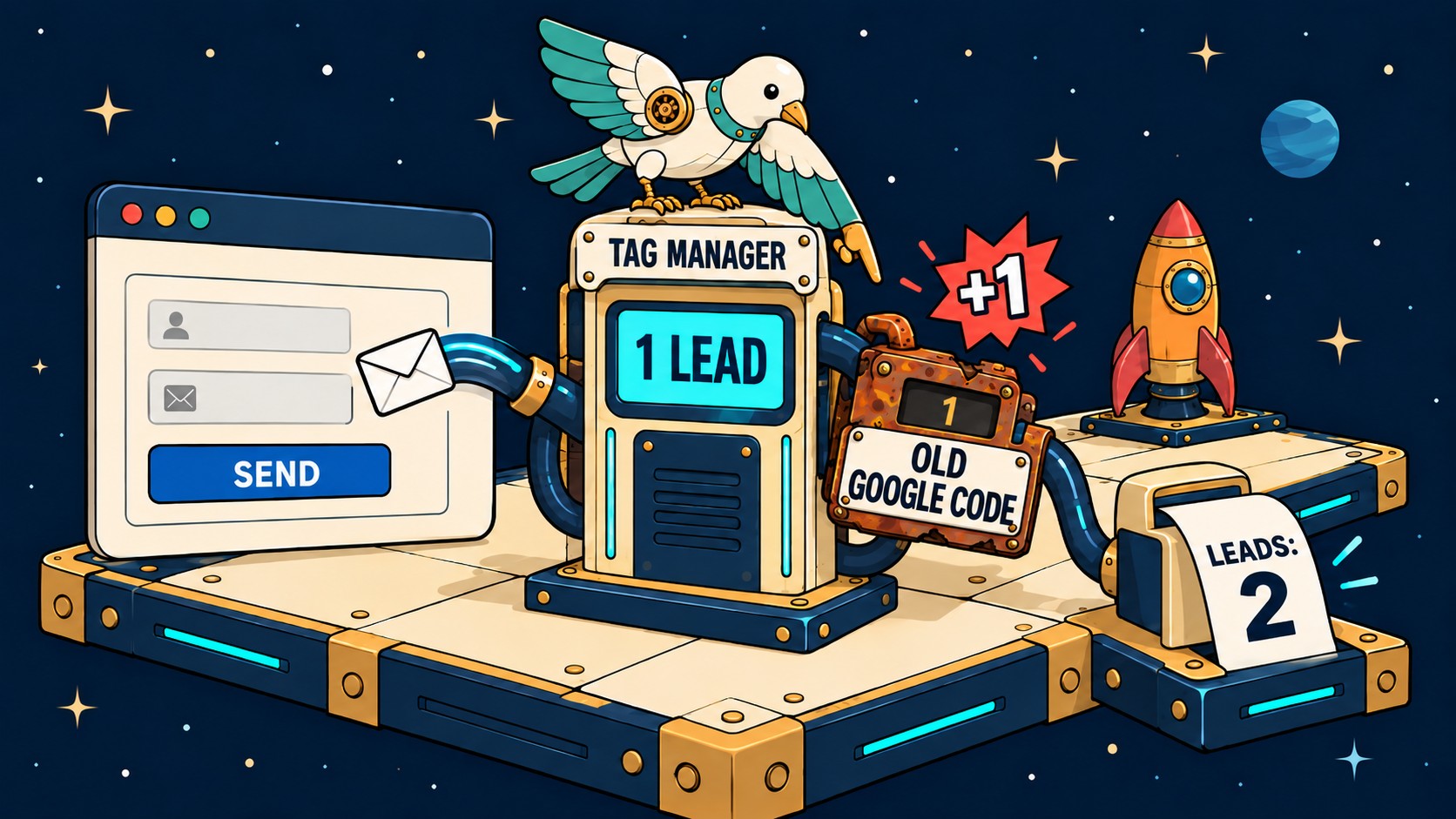
A client of mine once filled in their own quote form at night, the way a customer would. The quote that came out had line items missing and a price that was too low. Their message to me started: "We submitted a new Assessment Form tonight and when the Quote generated in Jobber it was as if the system completely forgot our last sessions."
They found it in one try, by doing the job the form was built for. That is the whole idea of this test.
What is a usability test, in layman's terms?
A usability test means watching real people try to use your site. Nielsen Norman Group is a research firm that publishes guides on how people use websites. Its guide, Usability Testing 101 (first published in 2019 and reviewed in July 2026), says the jobs you hand people should be "realistic activities that the participant might perform in real life."
For a local business, that means the job your site is for, like calling you or asking for a quote.
The same guide answers the next question everyone asks, how many people you need: "For a typical qualitative usability study of a single user group, we recommend using five participants to uncover the majority of the most common problems in the product."
Each dot is one more person tested. One person finds about a third of the problems. Two people get you to about half. By the fifth person you are near 85%, and the line goes almost flat. After that, each new person mostly runs into problems you already wrote down. NN/g explains why you stop there: "It's not worth trying to find all the issues in one test because you'll spend too much time and money."
So stop at five. Fix what they found, then test five new people on the fixed site.
How do I run a usability test on my own website?
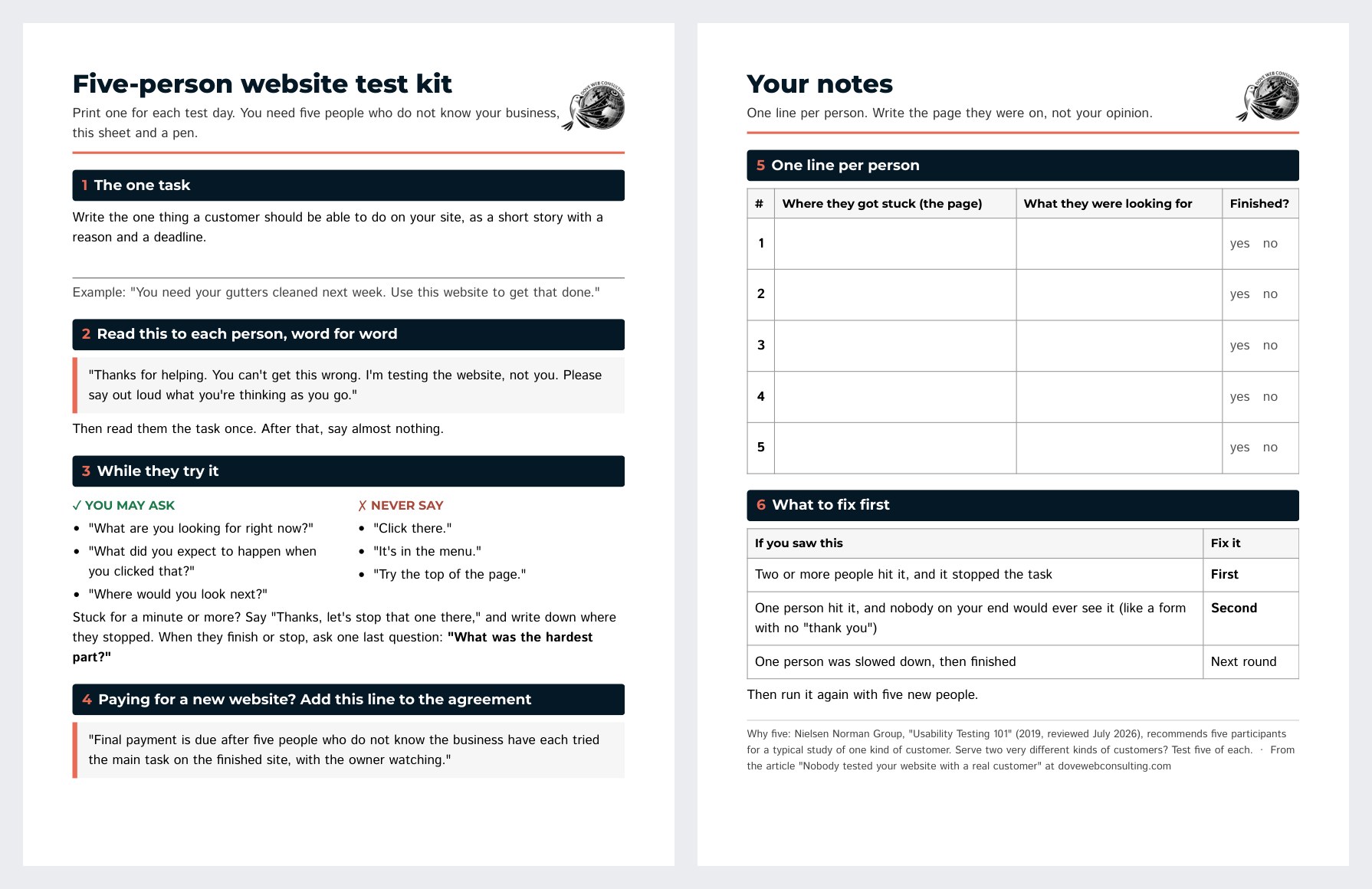
This is the whole test. Nothing here needs special software. Page 1 of the test kit is free to print now. It has the task card, the words to say and the rules for the room. The full kit adds page 2: a notes sheet with one line per person, and the order to fix things in. Put in your email below and the download opens right away.
1. Choose one task. Pick the one thing a customer should be able to do on your site. For most local businesses, it is "call us" or "ask for a quote." Write it down in one line.
2. Find five people who do not know your business. Not your spouse, your staff, or the person who built the site. Look for people like the ones who hire you: a friend of a friend, a customer from another town, someone from a networking group. You can also sit in a coffee shop and offer to buy someone a coffee for ten minutes of their time. If you can, include one person who uses a screen reader, or only a keyboard, to navigate a website. Nobody nearby? A video call works. Ask them to share their screen, and watch the same way.
3. Read each person the task in one sentence. For example: "You need your gutters cleaned next week. Use this website to get that done." Do not tell them where to click. Try the task on the first person and see if it makes sense. If it confuses them, fix the task before the next four.
4. Watch and say nothing. This is the hard part. When someone gets stuck, you will want to help. Do not. Ask them to say out loud what they are thinking, then keep quiet.
5. Mark where each person gets stuck. Keep a simple tally on paper. Note the page and what they were looking for when they stopped.
6. Fix the biggest problem first, then test again with five new people. The first five already know where your prices are, so they cannot tell you if the fix worked. Why only five each round? NN/g's guide to why five is enough (updated January 2026) says five people "will identify 85% of the issues in an interface."
If you serve two very different kinds of customers, like homeowners and builders, test more people. The five in NN/g's Usability Testing 101 is for "a single user group." Five of each kind is a good start.
How do I word the task so it is fair?
Give a reason and a deadline, the way a real customer has one. "You need your gutters cleaned next week" gives someone a reason to act. "Find the contact page" gives away the answer.
Not sure what task to give? Here is one for some common trades. Read it out loud, word for word.
Your business and the task you read out loud| Your business | The task you read out loud |
|---|
| Plumber | "Your water heater is leaking. Get someone to come out today." |
| Dentist | "Book a cleaning for next week." |
| Hair salon | "Book a haircut for Saturday morning." |
| Lawyer | "Ask for a first call about writing a will." |
| Roofer | "Your roof leaked in the last storm. Ask for a quote." |
| Restaurant | "Find out if they can seat eight people on Friday night." |
Use the customer's words, not the words on your buttons. If your button says "Request service," leave those words out of the task. Say what the customer wants instead: "Get someone out to look at a leak."
Give each person one goal. If you ask for two things, you will not know which one confused them.
What do I say when someone gets stuck?
Before you start, tell each person: "You can't get this wrong. I'm testing the website, not you."
After that, almost nothing, and that is on purpose. The moment you point at the right button, you stop testing your website and start testing your pointing.
Keep a few neutral questions ready instead. None of them tells the person where to go:
- "What are you looking for right now?"
- "What did you expect to happen when you clicked that?"
- "Where would you look next?"
If someone is truly stuck for a minute or more, it is fine to say, "Thanks, let's stop that one there." Write down where they stopped. That spot is the most useful thing you will learn all day.
When they finish or stop, ask one more question: "What was the hardest part?"
Test on a phone and a computer. A menu that is easy to find on a laptop can hide behind a tiny icon on a phone.
What should I write down?
Give each person one line on a notepad, like a phone message. Mark only the moments the site got in their way, like these:
- they stare at the menu for ten seconds before they click
- they go back to the Home page they just left
- they tap the photo of a finished job, hoping it opens a price
- they type half their phone number into the form, stop, and close the tab
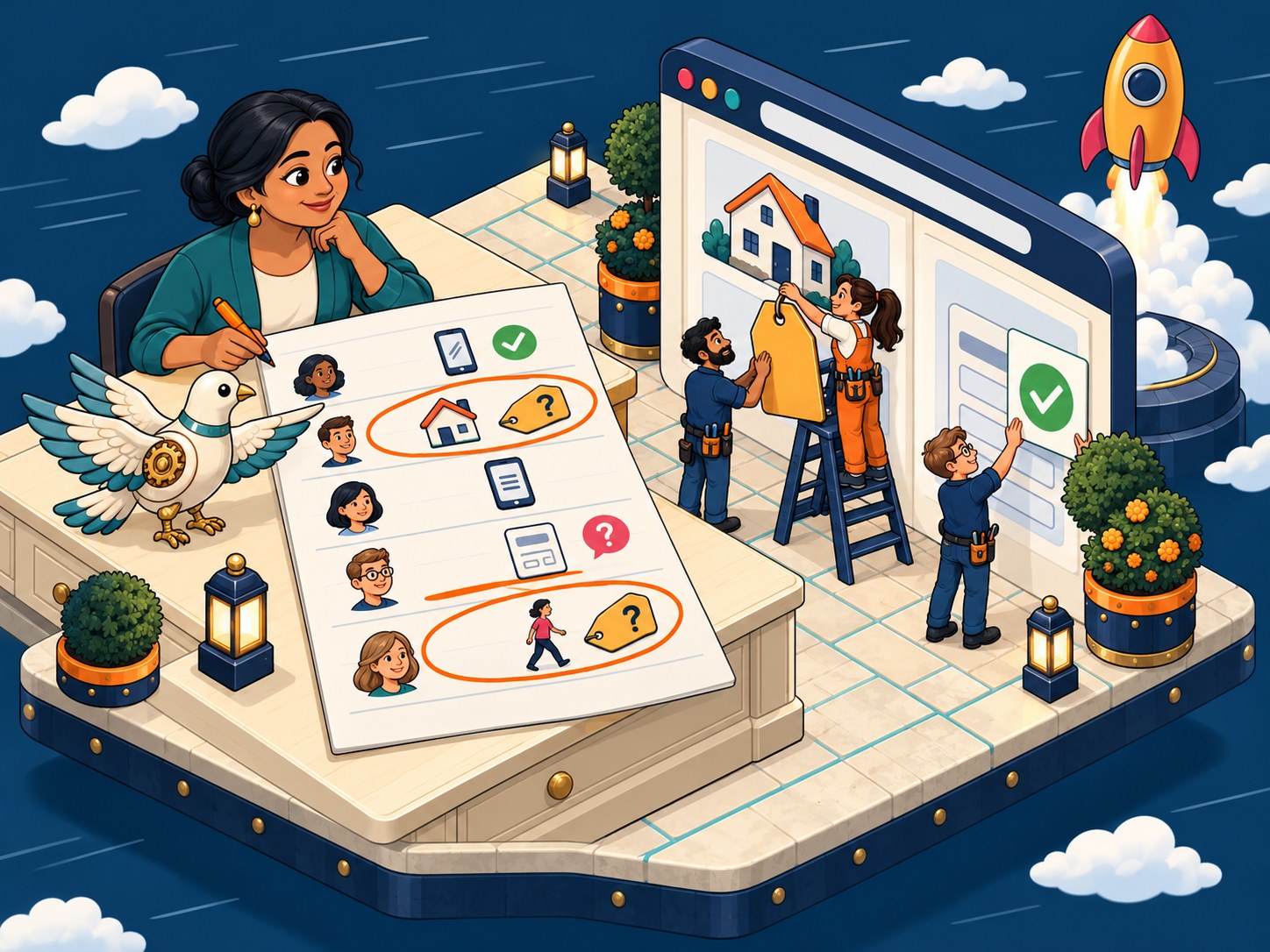
A page of notes might look like this:
- Person 1 called you from the Contact page in under a minute.
- Person 2 wanted a price. Services had none, so back to Home, twice, and then out loud: "Do you just not list them?"
- Person 3, on her phone, read the menu out loud and stopped at the end. No "Get a quote."
- Person 4 sent the form, then looked up at you: "Did that go through?" Nothing on the screen said it had.
- Person 5 never found a price either. He quit on the second page.
Now count. Two of five people went looking for prices. One person was not sure the form had worked. Those are your first two fixes, and you found them without a single tool.
Which problem do I fix first?
Count how many of the five people hit it. Then ask whether it stopped them from finishing the task. A problem that two people hit, and that cost you a quote, comes first. One person who paused and then finished can wait for the next round.
In the sample notes above, the order is easy. Prices come first, because two people looked for them and one gave up. The form message comes second. Only one person asked about it, but nobody on your end would ever see that problem on their own. The phone menu goes on the list for the next test.
What the five people ran into| What the five people ran into | How many | What it cost | When to fix it |
|---|
| Looked for prices, then one gave up | 2 of 5 | A lost quote | First |
| Asked if the form went through | 1 of 5 | A lead you never hear about | Second |
| Missed the menu on a phone | 1 of 5 | A slower visit | Next round |
What does a fix look like?
Both fixes from the sample notes fit in one afternoon. For the prices, put a "starting at" price or a price range on the Services page. A full price list can wait. For the form, add a thank-you message that says what happens next: "Thanks. We will call you back today before 5 p.m." That one line would have answered Person 4.
Then run the test again with five new people. If nobody hunts for prices this time, the fix worked. If someone still does, the prices are there but in the wrong place.
Longer than an afternoon, but not by much. NN/g says the simplest version takes three days. Day 1 is "Plan the study." Day 2 is "Test the 5 users." Day 3 is "Analyze the findings and convert them into redesign recommendations for the next iteration." The watching fits in one afternoon. The planning and fixing take the rest.
Less than people expect. From the NN/g guide: "Simple, 'discount' usability studies can be inexpensive, though you usually must pay a few hundred dollars as incentives to participants." For a local business, a gift card for each person is a fair thank-you.
What can five people tell me, and what can't they?
Five people show you where your website gets in the way. That is what they are good for.
They cannot tell you whether people want what you sell. If nobody searches for your service, a site that is easy to use will not fix that. That is a different problem, and it takes longer. I went through how long it takes in how long till my website sees results.
They also do not give you a number to put on a slide. If three of five people got stuck, you found a problem. You did not find a percentage. Fix it and test again.
What about tools that record visitors?
A heatmap might show a pile of clicks on your Services page, right on a photo that is not a link. Sit next to one person making those clicks and they will say it out loud: "I thought the prices would be here." Now you know to put a price under that photo. A recording tool is worth adding later, once you know what to look for.
When should I ask for this test?
Before you pay the last invoice, you still have the most say.
Ask your builder to show you five people using the site first. If they will not, that tells you something. That includes me.
Then put it in writing. Add one line to your agreement before you sign it: "Final payment is due after five people who do not know the business have each tried the main task on the finished site, with the owner watching." A builder who is confident in the work will agree in a minute.
You don't have to wait for a new website. You can run this test on the site you have this week.
The whole test, on one page
Would you close on a house nobody walked through?
Buyers walk through a house before closing, even one that looks perfect in the photos. Give your website the same walk-through before the last check clears. Five strangers and one task are all it takes, and you hold the pencil.
Questions people ask about testing a website
How many people do I need to test my website?
Five, for most small business websites. NN/g recommends five people for a typical study of one kind of customer. If you serve two very different groups, test five of each.
Can I test my website for free?
Almost. You need no software, only five people and some of their time. NN/g says you usually pay people for that time, a few hundred dollars in all, so plan a thank-you for each one.
Should I test before or after the website is finished?
Test before you pay the last invoice at the latest. Earlier is better, because a problem found on a draft means fewer pages to change.
What if everyone gets stuck in the same place?
That is good news. You found the first thing to fix. Fix it, then test again with five new people.
How often should I test my website?
Each time you change something a customer uses, like the menu, the prices page or the form. And always before you pay for a new website.





 1Choose one task, like calling you
 2Find 5 strangers
 4Watch. Say nothing.
 5Mark where they stop
 6Fix it. Test again.