The phone stops ringing in a way that takes a month to notice.
Not a cliff. A quiet week, which every business has. Then a second one, which is bad luck. By the fourth, you are counting backward and trying to work out what you did differently, and the honest answer is that you did nothing differently at all. Nobody rebuilt the site. Nobody touched the forms. The ads are still running, the rankings look roughly where they were, and the reports still arrive looking fine.
So you say the true thing, which is that nothing changed.
I believe you. In my experience, that sentence is almost always literally true, and it is almost never accurate, because it means nobody here changed anything. That is a much smaller claim than it sounds. A website is not a closed box sitting still. It is a dozen arrangements with a dozen other companies, and each can change without asking you, without telling you, and without leaving a mark anywhere you would think to look.
Why does "nothing changed" feel true?
Because you are thinking about the site, and the site is only part of what has to work.
When somebody fills out your form, what you care about isn't the form. It is the email landing somewhere a human will read it. Between those two moments, there are three or four separate systems, most of them owned by other people, none of them under your control, and any one of them can quietly stop. Your website can be in perfect health while the outcome you actually wanted never happens.
That gap is where the leads go. Not into a broken page. Into a working page whose last step stopped working.
What the pieces are called
Before the rest of this is useful, it helps to know the names of the parts. None of it is complicated. It is just rarely explained to the person who owns it, which is why so much of this article's subject stays invisible.
Each item below is part of your website that someone else can change. They fall into four groups, and each group is one picture.
Somebody else's code, running on your pages
- Plugins. Your website is built out of software, and the optional add-on programs that give it its features- the contact form, the gallery, the booking calendar- are called plugins.
- Who can change it without you: the people who wrote them. Most plugins update themselves automatically, overnight, without asking.
- Third-party scripts. A small piece of another company's code running on your page, a chat box or a tracking tag.
- Who can change it without you: its owner, whenever they like, on every page you have installed it.
- API keys. A long password that lets two systems talk to each other without a human involved.
- Who can change it without you: the service that issued it. They often expire on a schedule.
Your address, and who can point it somewhere else
- Your domain name. The address people type.
- Who can change it without you: whoever manages the domain, often as a side effect of fixing something unrelated.
- DNS records. What connects that address to the actual computer your site lives on is a small set of public records called DNS records.
- Who can change it without you: your registrar, your host, or anyone with access to the domain.
- Your certificate. The thing that produces the padlock in the address bar. It has an expiry date, like a passport.
- Who can change it without you? Nobody has to. It expires on its own, on a date somebody set once.
The chain one message travels down
- The form's destination. When someone submits your form, it sends what they typed to a destination address that whoever built the form set once.
- Who can change it without you: the company at the far end, by switching that service off.
- The sending service. Your site then hands the resulting email to a sending service to deliver. Sometimes that is your own server. Often it is another company's, and you wouldn't know by looking at your website.
- Who can change it without you: that company, whenever it tightens its own rules.
- Mail rules. Whoever runs your inbox decides where a message lands, and delivered and read are not the same thing. A mail rule is simply a filter that somebody set up once to sort incoming mail automatically.
- Who can change it without you? The rule itself, when what arrives stops matching what it was written for.
What gets written down about it
- The headers. Every email carries a block of technical information you normally never see, called the headers. If the email is a letter, the headers are what is printed on the envelope: who posted it, which machine handled it, when, and whether the checks along the way passed.
- Who can change it without you: the sending service, by changing how it sends.
- Analytics events. Your analytics is a reporting tool that watches what people do on your pages, and each thing it records is called an event.
- Who can change it without you: nobody. And that is the problem, because it will keep reporting cheerfully whatever happens further down.
That is the whole cast. Every one of them can change without you.
What changes on a website when nobody touches it?
This is the part that surprises people, so here is the plain list. Every one of these happens on its own, on somebody else's schedule.
- A plugin updates itself overnight, and the update changes a behavior you were relying on.
- A certificate expires, and browsers start warning people before they ever reach you.
- A DNS record gets changed by whoever manages your domain, sometimes as a side effect of an unrelated fix.
- A card on file expires, and a service you forgot you were paying for quietly stops.
- An API key rotates on a schedule somebody set three years ago.
- A third-party script you embedded gets updated by its owner and starts behaving differently on your page.
- A mail rule you set up years ago starts catching things it was never meant to catch.
- A form's destination gets decommissioned by the company that used to run it.
- A search engine changes how it treats something you were doing.
- A subscription lapses, which takes the feature with it.
None of those require a person on your end. Several of them will not produce a single error message that a visitor could see, and that is the important part: your visitors will not tell you, because from where they stand, everything looks fine.
Why does the dashboard still look fine?
This is the center of the whole problem, and it is worth being precise about, because that's what lets a failure run for months.
Your analytics do not watch your business. It watches the browser.
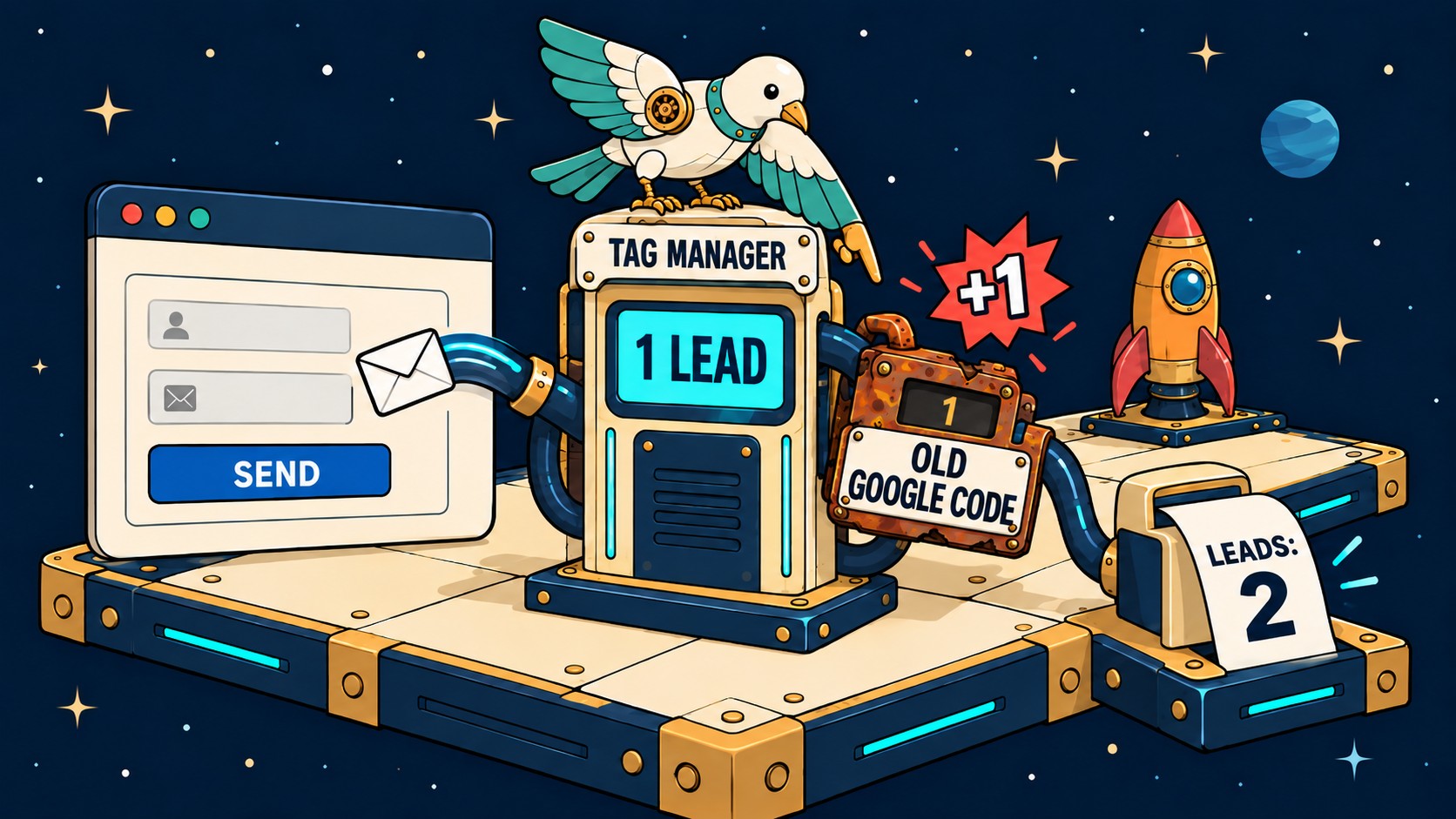
When someone submits your form, the analytics event fires in their browser the moment they click. That is what it measures: a person did something on a page. What happens next- your server building an email, handing it to a mail service, that service delivering it to your provider, your provider deciding which folder it belongs in- all of that happens somewhere analytics cannot see. It has no visibility past the click, and it never claimed to.
So your dashboard can report a healthy number of form submissions for a period when none of those messages reached a human. Both readings are correct. They measure different things, and only the second is what you were counting on.
That is worth saying as plainly as I can: a green instrument is not a delivered outcome. Every version of this problem I have ever been called in for has that sentence at the bottom. Something reported as healthy that it never got to observe; everybody believed it because it was on a screen and it was green, while the actual outcome quietly stopped happening underneath.
Your reports are not lying to you. They answer a narrower question than the one you are asking.
The form that posted into nothing
Here is the version of this I think about most.
I was asked to look at a site. Good site, well built, nothing obviously wrong with it. It had a downloadable guide as its main way of capturing interest, and that guide's form sat at the bottom of every service page on the site. Not one page. Every one of them.
The form worked. You could fill it in; the button responded; the success message appeared and thanked you. Everything a visitor could observe was correct.
The form was posting to a marketing platform the business had stopped using years earlier. The address was still on the page; the far end had been switched off, and nothing about that was visible from the front. Every person who filled it in got thanked. Nobody got a guide. No one at the business received a notification, because there was nothing left to send.
I found it by filling it in myself and then waiting for an email that never came.
That is the whole technique, and I want to be honest that it is not clever. It is just the only thing that actually tests the part you care about. Nobody had done it because, from the outside, there was nothing to suggest anybody needed to.
I do not know how long it had been running. No one else did either, and that is the characteristic damage of this kind of failure. No incident, no date, nothing to point to. Just a period of time where the number should have been higher.
How do you actually check? The steps, in order
This is the part I get asked for most, so here it is, properly, as steps you can follow. Each one is designed to rule something out, so you narrow it down rather than guessing. Do them in order and stop at the one that answers it.
You do not need a developer for the first four.
Step 1. Send yourself one, and label it. Fill in your own form as a stranger would. In one of the fields, put a short unique code, something like CHECK plus today's date. Use your phone rather than the computer you built the site on, because your browser can be logged in, cached, or otherwise unusual in ways a visitor's isn't. The code is the point. It gives you one exact string to search for later, so you never have to guess whether the message you found is the one you sent.
Step 2. Search all your mail for that code, not just your inbox. Search everywhere, including spam and archived mail. Where the code turns up tells you which problem you have. Found in your inbox: it works, and you are looking in the wrong place for your drop. Found in spam: delivery is fine, and filing is broken. That is a real problem, and it is a completely different fix. Not found at all: keep going. This rules out the most common answer of all: that the mail was arriving and going somewhere nobody looks.
Step 3. Check that the message ever left your site. Every browser has a hidden panel called Developer Tools that lists every request a page makes as it makes them. Open the page again and right-click it, choose Inspect, and the panel opens. The list of requests sits under a tab called Network, so click Network. Now submit the form and watch what appears.
A new row appears carrying a status number, which is the server's one-word answer about what it did with the request. 200 means your server accepted it. A 404 or 500 means it went somewhere that could not handle it. If there are no new rows, the button has never been connected and wired in. This rules out everything downstream. If nothing left the browser, no email was ever sent, and no amount of checking your mail settings will find it.
Step 4. Look at where the form is pointing. In that same row, look at the address it posted to. Sometimes it is your own domain, which is what you would expect. Sometimes it is a service you recognize. Sometimes it is a company you stopped paying two years ago, or a name nobody at the business recognizes. If the destination is somewhere you no longer have an account, you have found it, and you don't need to go beyond this step, then everything after it is unnecessary.
Step 5. Read the headers of a message that did arrive. The headers, as above, are the envelope, not the letter. The message you read is what somebody wrote. The headers record how it traveled: which machine handed it over, which service delivered it, when, and whether the checks it passed along the way were satisfied.
Your mail program hides all of it by default, because almost nobody needs it, right up until the day you do. In Gmail, open the message, click the three-dot menu, and choose Show original. That is the envelope. You are looking for who actually sent it. This tells you something most owners have never been told: your website may not be sending its own mail at all.
Many sites hand their mail to another service to send on their behalf. That is normal and usually the right setup. When mail stops, check the service, not your website. This rules out an entire category of misdiagnosis, which I will describe next, because I did it to myself.
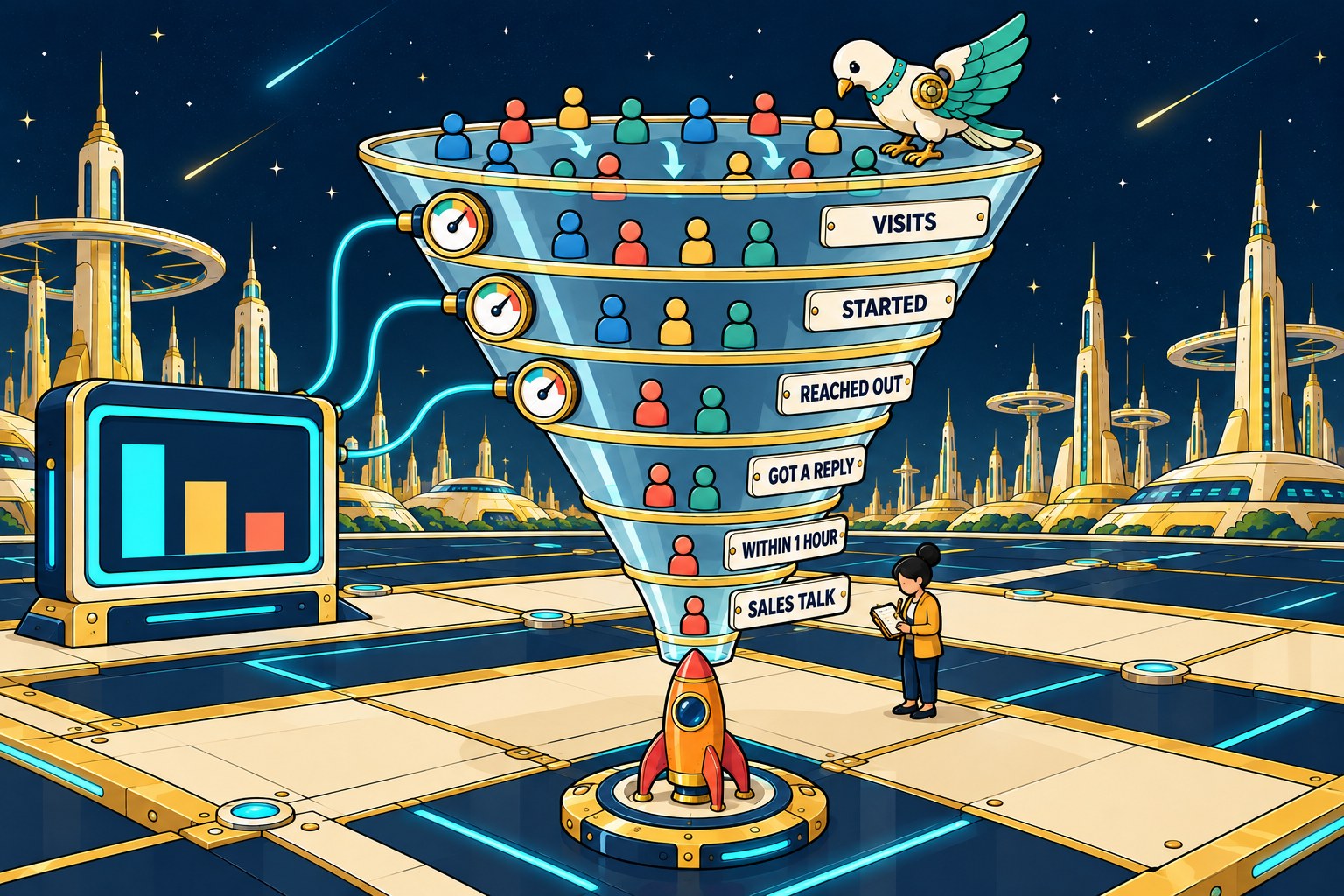
Step 6. Compare the counts over a period, not just today. This step identifies failures that have been running for months, and it's not widely done. Take your analytics form submission count for the last ninety days. Then count the actual notification emails you received in the same ninety days.
Put the two numbers side by side. If they roughly match, your path is intact. If analytics is meaningfully higher, the gap between those two numbers is the number of people who tried to contact you and did not reach anybody. This is the only step that works backward in time. Steps one through five tell you whether it is broken right now. Step six tells you how long it has been.
The time I was wrong about my own site
I want to include this because the steps above are useless if you skip to the conclusion, and I did exactly that on my own website while writing this.
I checked every contact form I run. Seven of the eight were configured one way, and one was configured differently, in a way I knew was wrong. From that single fact, I built a full explanation: I worked out the mechanism, traced how it would cause messages to be rejected, connected it to changes the big mail providers have been making, and built a genuinely convincing account of how that one setting had been costing me inquiries.
Then I did step one. I submitted the form and put a code in it.
It arrived in eighty seven seconds. Inbox, not spam.
So I did step five and read the headers, and they said my site doesn't send its own mail. It hands it off to a mail service that sends it with that service's own credentials, which means the entire mechanism I had reasoned out couldn't happen. Not unlikely. Not rare. Structurally impossible on my setup.
The setting was still wrong, and I still corrected it, because seven of eight agreed and one disagreed, which is worth tidying. But the story I had built around it was mine, not my server's. Every part of my reasoning was consistent, which is exactly what made it convincing, and none of it survived contact with an eighty-seven-second test.
I'm sharing this because the form posting into nothing I described earlier and the mistake I made here are the same shape, viewed from opposite sides. In both cases, someone was confident in a system they hadn't actually tested. The only difference is which way the confidence pointed.
Run the test. It takes two minutes, and it beats an hour of good reasoning.
The weekly five minute check
Here is the version to actually keep. The first list needs nothing except your phone and your email. If you cannot complete the second list because you don't have the logins, that's a significant administrative gap. Please read who owns your website next, as access is a separate issue and will block every fix on this page.
Every week, five minutes, no special access needed:
Submit your own form from your phone with a dated code in it. Confirm the message arrives, and note how long it took. Check your spam folder while you are there. Load your own site on mobile data rather than your office network. Click the main button you want visitors to click, and follow it all the way to the end. Reply to one notification and see whether the reply goes anywhere sensible.
Every quarter, and this one may need logins:
Please check what your forms are posting to and whether you still have an account there. Check for expiring cards on file. Compare 90 days of analytics submissions with 90 days of actual emails, as in step six. Confirm your certificate has more than thirty days left. Review anything set up by somebody who no longer works with you.
What changed? Twenty seconds
If your leads dropped and you want the fastest useful split, ask one question.
Can you name a date when somebody deliberately changed something?
If you can, this is not your article. A deliberate change followed weeks later by a drop is its own problem, with its own diagnosis, and it belongs in the redesign that caused your rankings to drop.
If you cannot name a date and the honest answer is that nothing changed, then something did change, and it happened without you. Start at step one. You will know within two minutes whether your form still reaches a human, and that single fact removes the largest and most expensive possibility on the list.
Questions people ask when the leads stop
How long can a broken lead form go unnoticed? Longer than anyone expects, because nothing reports it. The visitor sees a success message and assumes you will reply. You see a normal looking dashboard and assume the quiet is the market. The failure is only visible if somebody deliberately tests the whole path, and there is usually no reason to.
My analytics shows form submissions. Doesn't that prove the form works? It proves people are submitting it. The event fires in the visitor's browser at the moment they click, and it has no visibility into what your server does afterwards or whether the email was delivered. A healthy submission count and zero delivered emails are entirely compatible readings. Step six is how you tell them apart.
Could this be the algorithm rather than something broken? It could, and sometimes it is. But a search or ads change alters how many people arrive, and a broken path alters how many of the people who already arrived reach you. Those look identical from the outside and are distinguished in about two minutes by step one. Check the cheap thing first, because a lost lead you already paid for is worse than a visitor you never had.
Nothing changed on my end. Doesn't that rule out a technical cause? It rules out you causing it. Most of the list above is other companies changing things on their own schedules: an automatic update, an expired card, a decommissioned service, a rotated key. "Nothing changed" and "something broke" are not in conflict, and the gap between them is where this article lives.
Is this worth checking if my leads have not dropped? Yes, and it is the best time to do it, because you get a known good result to compare against later. Run the check once now, write down how long the email took to arrive, and you have turned a vague future worry into a number you can check against.
If you would rather somebody else ran that path end to end and told you what they found, you can request a free site analysis. I will submit your own forms, follow your own buttons, and tell you where they actually go.