Spring Hill KS, 66083

- Home
- > Blog Main Page
- > Analytics & Tracking
- > Google Analytics vs Webmaster Tools: The Difference
Google Analytics vs Webmaster Tools: The Difference
08.27.2026
DoveWebConsulting
Updated October 4, 2026. This post is about Google’s free search results. Asking about Google Ads? Start with our PPC advertising campaigns page instead.
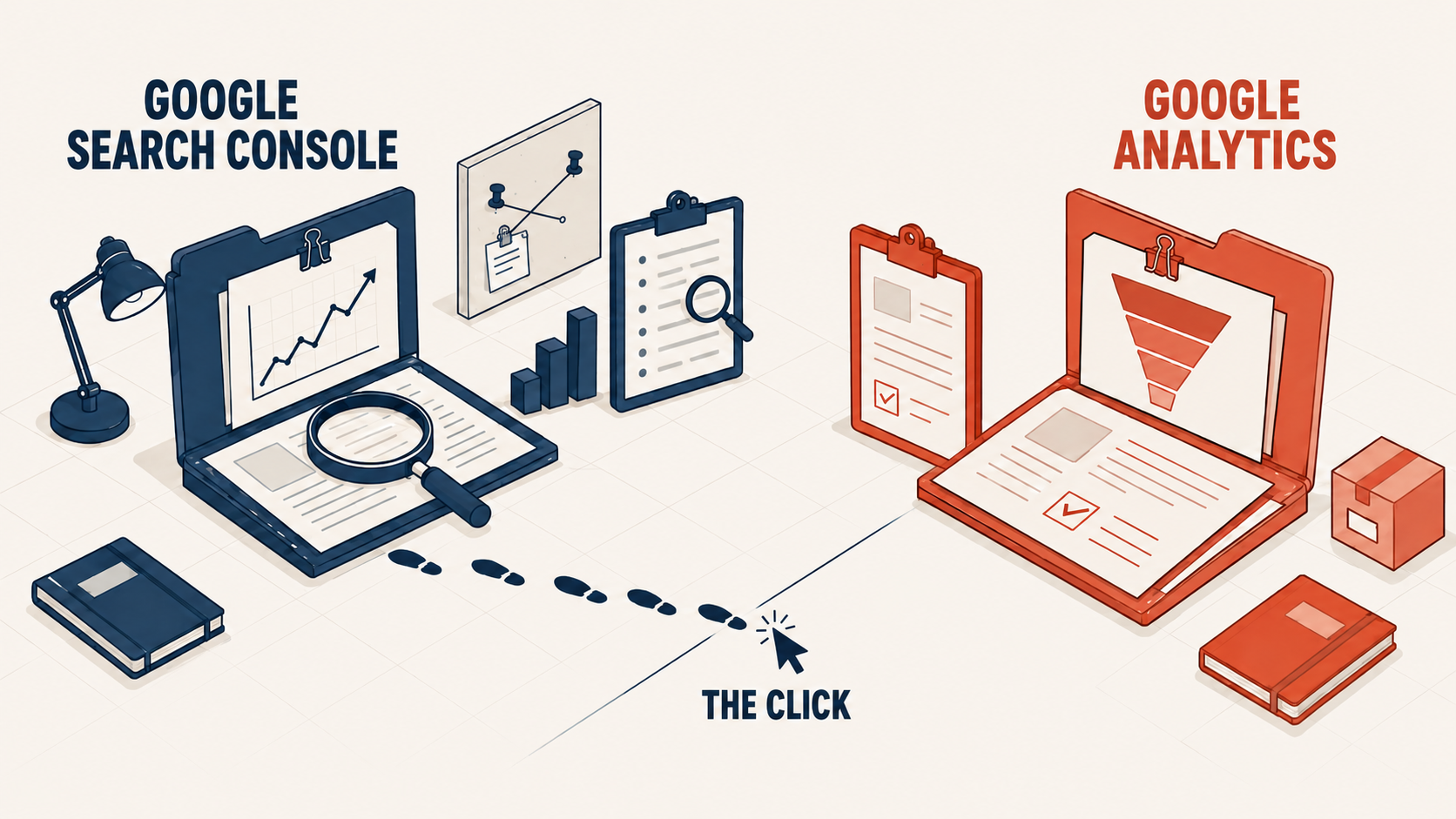
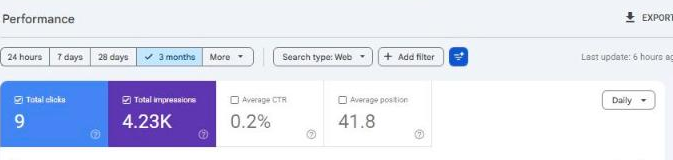
Webmaster Tools is now called Search Console. It shows what Google showed before the click. Google Analytics shows what visitors did after it. On August 27, 2026, I asked Search Console one question about my site: how it did from May 29 to August 24. I asked it four different ways. I got four different answers.
| the question I asked | impressions | clicks |
|---|---|---|
| totals | 4,054 | 8 |
| by query | 3,162 | 0 |
| by page | 4,474 | 9 |
| query + page | 3,205 | 0 |
Same property, dovewebconsulting.com. Same date range. Same API, four requests apart.
None of those numbers is wrong. They answer four slightly different questions. Quote the wrong one, and you’ll make a decision on a number that never measured what you meant. That is the real difference between these two tools, and it is not the difference you will find in a comparison table.
“Webmaster Tools” hasn’t existed for years, and that’s why you’re confused
If you searched for Webmaster Tools analytics or Webmaster Analytics, you are using a name Google retired. Google renamed Webmaster Tools to Google Search Console in 2015. The tool still exists; it does more than it used to, and every guide written since calls it something you did not search for.
So the honest translation of the question is: what is the difference between Search Console and Analytics, and which one do I open?
The decision: if you came looking for keyword and ranking data, you want Search Console. Google Analytics has not shown you keyword data since 2011. Stop looking for it there.
| Year | What changed |
|---|---|
| 2011 | Google began hiding search words from websites, starting with signed-in searches (Google). |
| 2014 | Webmaster Tools stopped rounding its search numbers (Google). |
| 2015 | Webmaster Tools was renamed Search Console (Google). |
| 2025 | Search Console began grouping searches that ask the same thing, on busy sites (Google). |
| August 2026 | A new setting lets a site stay in or out of AI Overviews and AI Mode (Google). |
| September 2026 | A new filter shows searches made with a camera, like Google Lens (Google). |
Clicks from AI Overviews and AI Mode count like any other click. Every link inside one AI Overview shares the same position (Google’s help page).
What is the use of Webmaster Tools in SEO?
Webmaster Tools, now Search Console, is a free service from Google that shows how Google sees your site. You do not need it to show up on Google. You need it to see what Google sees. For a small business, it does three jobs.
| The job | Where in Search Console | What it tells you |
|---|---|---|
| See how you show up | Performance | The searches you showed up for, your impressions, your clicks, and your average position. |
| Check that Google can read your pages | Pages and URL Inspection | Whether a page is in Google, and the reason when it is not. You can also ask Google to crawl a page again. |
| Get warned when something is wrong | Manual actions and Security issues | Whether a person at Google flagged your site for breaking its spam rules, or whether Google found your site hacked. |
Two things it does not promise. A sitemap helps Google find your pages, but Google says it “doesn’t guarantee that all the items in your sitemap will be crawled and indexed.” Google also says you might not need a sitemap at all if your site is small, about 500 pages or fewer, and your pages link to each other (Google). And asking Google to crawl a page is a request, not a promise. Even a page marked “URL is on Google” is not certain to show up in results (Google).
Bing has its own free version, Bing Webmaster Tools, for Bing’s search results.
The one-line split: before the click, and after it
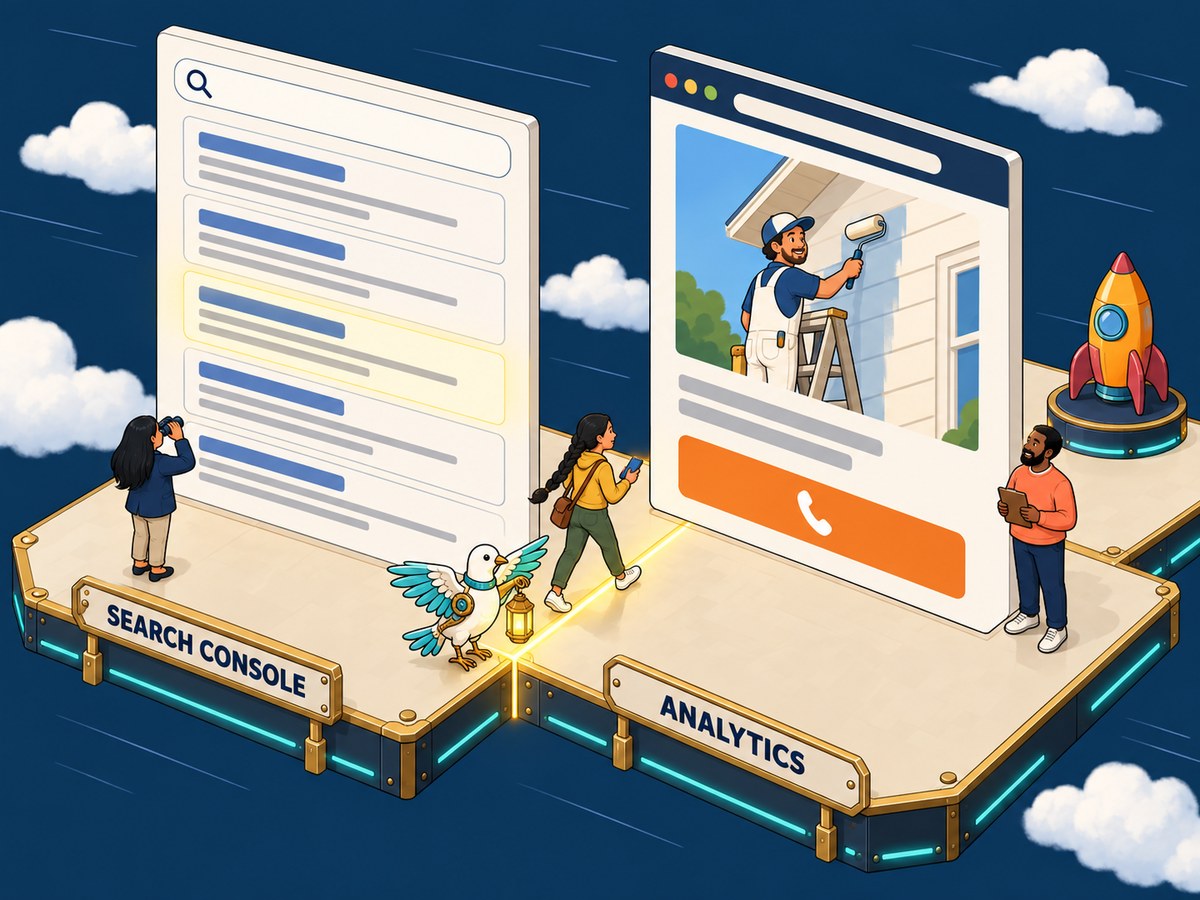
Search Console is the only place that sees the search results page. It knows you appeared, where you ranked, and whether anyone clicked. It stops watching the moment they land.
Analytics is the only place that sees your website. It has no idea a search happened. It picks up the moment someone arrives and follows what they do next.
Google's own guide puts it this way: "The source of truth for Search performance will always be Search Console, while the source of truth for behavior inside your site will be Google Analytics."
They do not overlap. They abut. Most bad marketing decisions happen at that seam. The person reading the report doesn't notice which side of it they are on.
Think of it as the pavement and the shop floor. Search Console watches the pavement: who walked past, where your sign sat in the row of signs, whether anyone stopped. Analytics starts at the door. It never sees the street, and it cannot tell you how many people went by without coming in.
The decision: before you open either tool, say the question out loud. If it contains found, ranked, appeared, or searched, it is Search Console. If it contains did, clicked next, filled in, or bought, it is Analytics.
What do impressions mean in Webmaster Tools?
An impression is one time your site showed up on a page of Google results. Webmaster Tools, now called Search Console, counts it even if the searcher never scrolled down far enough to see you (Google's own definition). So impressions only prove Google put you on the page. Clicks prove someone picked you. On this site, 4,054 impressions turned into 8 clicks in those 90 days. Click-through rate, or CTR, is your clicks divided by your impressions.
Four answers to one question, and why each is correct
Back to those four numbers. Here is what each one actually asked:
- totals, 4,054 impressions, 8 clicks. How many times did this site appear, counting one appearance per search?
- by query, 3,162 impressions, 0 clicks. Break that down by search term. It lost 892 impressions and every single click.
- by page, 4,474 impressions, 9 clicks. Break that down by URL. It gained 420 impressions over the supposed total.
- query + page, 3,205 impressions, 0 clicks. Both dimensions at once.
A report is not a fact. A report is a question with a shape. Change the shape and the number moves, legitimately.
The decision: never carry a Search Console number into a meeting without naming the dimension it came from. “We had four thousand impressions” is not a claim anyone can check.
Where the eight clicks went
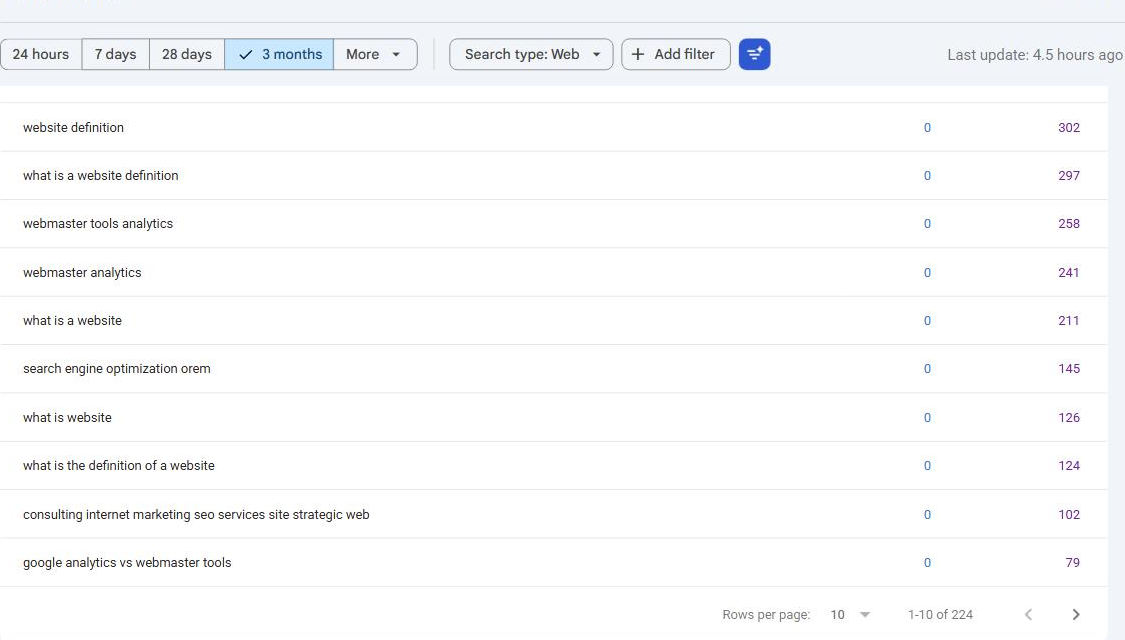
The clicks vanishing from the query report is the one that catches people. It has a specific cause: Search Console withholds rare queries.
Some searches are made by so few people that showing them could identify someone. Google removes those searches from the query report. Their impressions and clicks go with them. On my own property, that filter removed every click the site earned, because those clicks came from a long tail of terms too rare to report.
Proof that it is a filter, not a bug: the same clicks reappear intact in the page dimension, spread across six named URLs. Nothing was lost. It was withheld from one view.
The decision: use the Pages report when you need click totals to be right. Use the Queries report for direction and theme, never for totals. If you have been trying to reconcile those two reports and blaming yourself, stop. They were never meant to add up.
Why the page report can exceed the site total
The 4,474 against 4,054 gap runs the other way, and Google’s help page explains why. When two of your pages show up in the same search, the site total counts one impression. The page report gives one to each page.
It is like one person walking past two of your windows on a single trip down the street. The street count says one passer-by went by. Each window says it was seen. Both are right, and adding the windows together is the mistake.
I can account for 43 of those 420 and not the rest. Five searches on my own site are served by more than one page. Each one adds up higher by page than for the whole site. “dove seo” reads 41 one way and 59 the other, spread over four pages. That is 43 impressions. The other 377 sit inside searches Google keeps out of the query report. I cannot show them to you, and I am not going to pretend the math adds up.
The decision: if your page numbers add up higher than your site total, nothing is broken. You are not counting anything twice. It usually means several of your pages compete for the same searches, which is worth knowing for its own sake.
What Analytics tells you that Search Console cannot
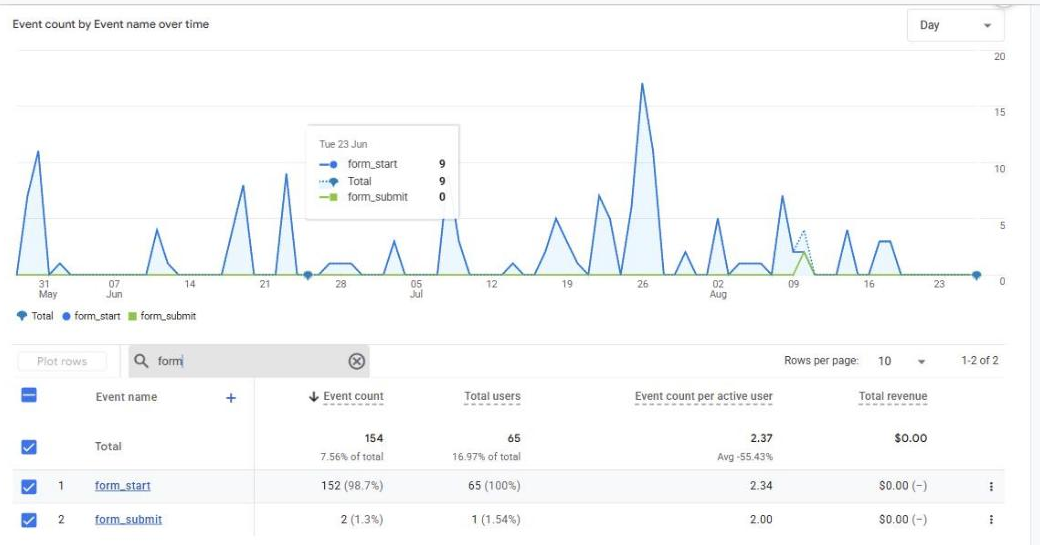
Search Console has nothing to say about what happens after the click. On the same site, over the same ninety days, Analytics showed this:
| event | 90 days |
|---|---|
| form_start | 152 |
| form_submit | 2 |
One hundred and fifty people opened a form. Two finished.
Search Console cannot see that and never will. It would show the same impressions and clicks whether the form worked or had been broken all quarter. Everything that mattered commercially happened on the far side of the seam.
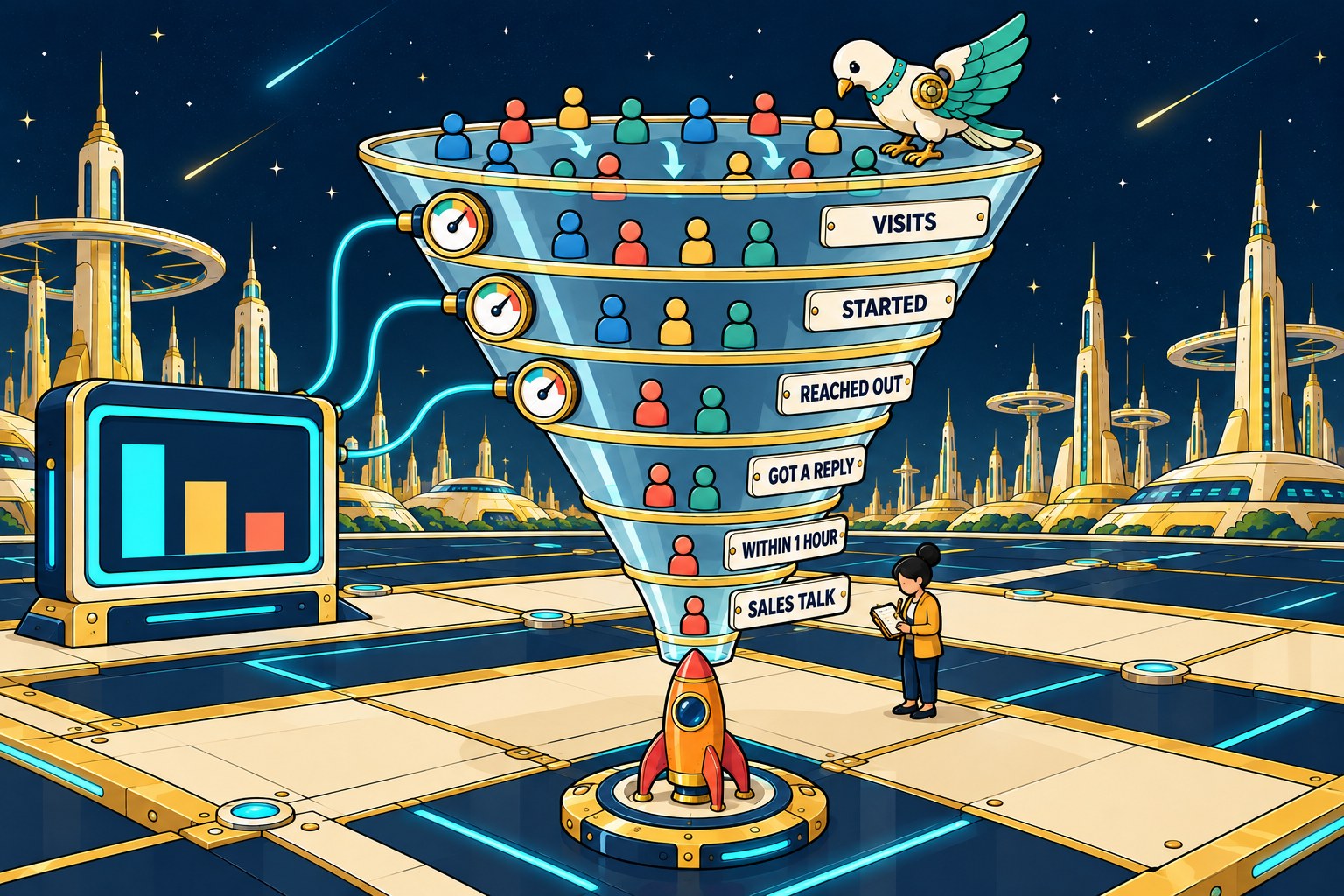
And the reason that reads as a defect rather than as missing tracking: one page on the same site converted three leads from five form starts. The tracking fires. The form is what fails. If your tracking is the part that broke, read running ads with broken tracking.
The decision: measure the step, not the session. Session counts tell you almost nothing. Neither does the share of visits that bounce (leave quickly without doing anything). Start-to-submit on a form tells you where the money is leaking, in one line.
The trap that makes both tools look broken
Here is the mistake I see most often, and I nearly made it on my own site.
Zero clicks against thousands of impressions looks like a snippet problem. Bad title, bad description, nobody tempted. So you rewrite titles. It is the cheapest fix available and it feels productive.
Then you check where those impressions actually sit.
| position | impressions | share |
|---|---|---|
| 1 to 3 | 112 | 3.5% |
| 4 to 10 | 21 | 0.7% |
| 11 to 30 | 605 | 19.2% |
| 31 and beyond | 2,424 | 76.7% |
Only 4.2% of impressions were on page one at all. The rest sat on page four and beyond, where a roughly zero click-through rate is what everyone gets, however good the title is. The snippets were not the constraint. Visibility was.
But the same banding finds the place where rewriting genuinely pays: four queries sitting at position 1.0 with zero clicks. Position was not the problem there, so the snippet had to be. Neither the page title nor its description had the words those people searched for.
The decision: band your impressions by position before you rewrite a single title. Above position 10, rewriting the title and description pays off most. Below position 30, it is theater.
Check your own two numbers
Open the Performance report in Search Console. Look at impressions, clicks, and average position for one page. Then find your row below.
| What you see | What it usually means | What to do first |
|---|---|---|
| Lots of impressions, few clicks, average position 11 or lower | People see you on page two or deeper, where few ever click | Work on ranking the page. A new title will not fix this. |
| Lots of impressions, few clicks, average position 1 to 10 | People see you and pick someone else | Rewrite the title and description with the words they searched. |
| Few impressions at all | Google rarely shows the page | Check that the page is indexed with URL Inspection. Then check that people search for it. |
| Clicks dropping while impressions hold steady | Something above you now takes the click | Compare two date ranges in Search Console. Then search the term and see what sits above you. |
Average position is the highest spot your page held each time it showed up, averaged across the searches where it appeared. A search where your page never showed up does not count toward it.
There is no good number to hit. Compare a page with itself over time, not with someone else’s average.
What page one gets wrong about impressions and clicks
| What you will read | What Google actually says |
|---|---|
| Lots of impressions and few clicks means your title is weak. | Check where you rank first. An impression only counts on the page of results the searcher is looking at (Google). On page two or lower, few people click, whatever the title says. |
| A high click rate pushes your page up the rankings. | Google says it uses “aggregated and anonymized interaction data to assess whether search results are relevant to queries” (Google). That is many searches added together, not a dial for your page. |
| Link Analytics to Search Console and you can follow one search to one sale. | In Analytics, the search words cannot be split by what visitors did. Only landing page, device, and country line up between the two tools (Google). |
| An impression only counts when someone scrolls to your link. | For a normal result, it counts even if nobody scrolls to it (Google). |
| AI Overviews show up on 42% of searches. | None of the pages we read named a source for it. One company that tracks this, BrightEdge, reports AI Overviews on 30% to 48% of the searches it follows (BrightEdge). That is its own list of searches, not all of Google. |
One more you will see: “impressions are up 49% and click rate is down 30%.” Do the math. If impressions go up 49% and clicks do not change at all, the click rate drops by about a third (1 ÷ 1.49 is about 0.67). A falling click rate on its own does not prove that anyone lost a single click.
I have hit this wall before. For my master’s thesis at the University of Tennessee, I studied 162,123 comments from Sprint’s Facebook page. I set out to use a published marketing method called stance-shift analysis. The method turned out to be vaguer than its papers made it sound. When I asked the researchers how they scored the words, they told me their dictionary was proprietary. Without it, nobody could check their results.
So I switched to sentiment analysis, built on a word list anyone can download: Hu and Liu’s opinion lexicon of about 6,800 words.
That is the first lesson of real research. A finding only counts when someone else can repeat your steps and get the same answer. If you cannot rebuild a number, you cannot check it, and a number you cannot check keeps you guessing. BrightEdge counts AI Overviews on its own list of searches, with its own tools. Read its numbers with that in mind. And when anyone sells you a number, ask them to show you how they got it.
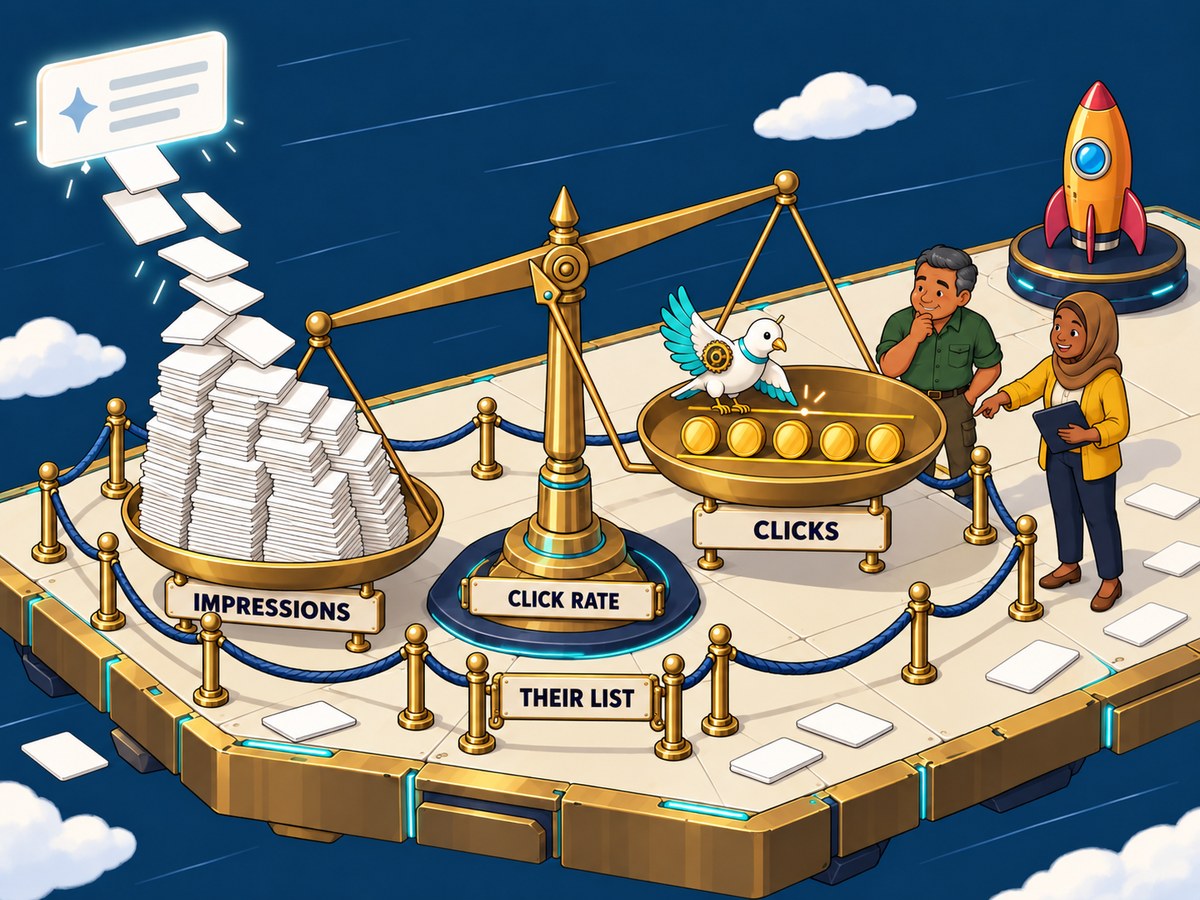
The pile grew. The coins did not move. The click rate still fell, and it was measured on one company’s own list of searches.
Which tool answers which question
| the question | tool | where |
|---|---|---|
| What terms do I show up for? | Search Console | Performance > Queries |
| Am I on page one for them? | Search Console | Performance > Position |
| Do people click when they see me? | Search Console | Performance > CTR, by page |
| Is this page even indexed? | Search Console | Page indexing / URL Inspection |
| What do people do once they arrive? | Analytics | Engagement > Pages |
| Where do they abandon my form? | Analytics | Events > form_start vs form_submit |
| Which channel produced inquiries? | Analytics | Acquisition + key events |
| Did my traffic come from search? | Analytics | Acquisition > Organic Search |
The decision: link them, then turn the reports on. In Analytics, open Library. Publish the Search Console collection. The numbers show up about 48 hours later. Analytics then lists your Search Console numbers next to what visitors did, one landing page at a time. It can’t follow one search to one visitor. The two tools only meet at the landing page, the page a visitor arrived on.
Analytics starts counting once a tag is added to your site. Search Console starts once you prove to Google that you own the site.
What neither tool can tell you.
| What you want to know | Can Search Console or Analytics tell you? |
|---|---|
| Which single search turned into which single lead | No. They only meet at the landing page. |
| Searches that very few people made | No. Google hides them to protect privacy. |
| People who saw you on Google and never clicked | Only as a count in Search Console. Analytics never sees them. |
| How someone found you before they called | No. Ask every caller. |
Read Analytics wrong, and you may cut a page that brings in sales. Read Search Console wrong, and you may chase a drop that is only a change in what Google counts.
What to do this week
| Step | Why it matters |
|---|---|
| 1. Confirm both are installed, and connected to each other. | Most sites have both and have never linked them. If you cannot log in to one of them, read who actually owns your website first. |
| 2. Band your impressions by position. | It decides whether your problem is snippets or visibility, and those need opposite work. |
| 3. Pull clicks from the Pages report, not Queries. | You now know why. |
| 4. Check form_start against form_submit. | If the gap is large, fix that before you spend anything on traffic. You already have intent you are not capturing. |
| 5. Find any query where you rank in the top ten and get no clicks. | Read your own title and description as a stranger. If they do not contain the words that were searched, that is your afternoon’s work. |
Questions people actually ask
Is Webmaster Tools the same as Search Console? Yes. Renamed in 2015. Same tool, more features.
Why doesn’t Analytics show me keywords? It has not since 2011, when Google encrypted search terms. Search Console is the only first-party source, and even it withholds the rare ones.
Do I need both? Yes, and not as a hedge. They watch opposite sides of the click, and neither can see the other’s side.
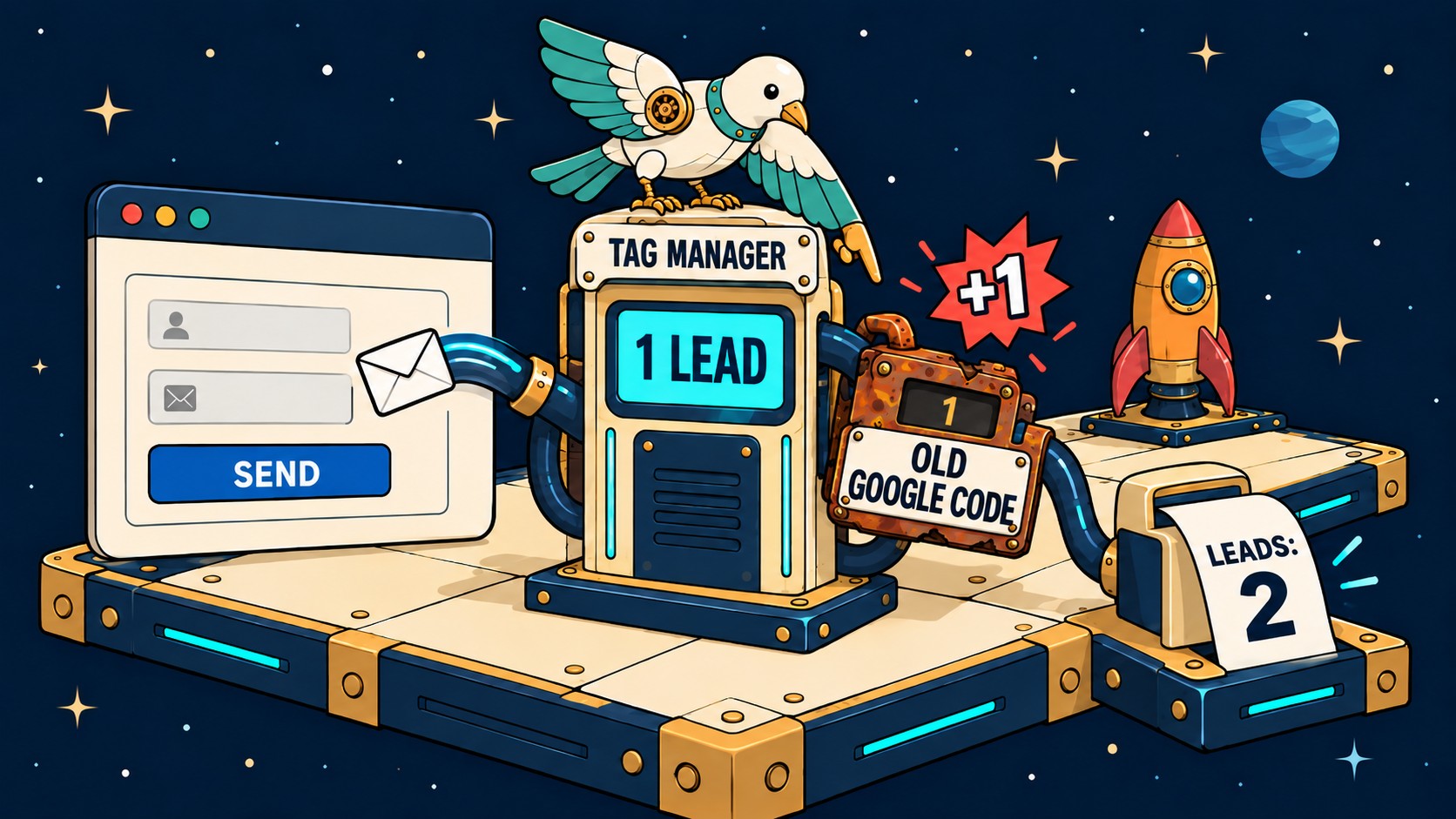
Why don’t my Search Console numbers match my Analytics numbers? They never will. They count different things. Search Console counts times you showed up in results. Analytics counts visits to your site. Each tool also filters its numbers its own way. Google’s own guide says to compare Search Console clicks with Analytics sessions. Even those will not match. Google names the usual reasons. Some pages may be missing the Analytics tag. Two copies of the tag count one visit twice (we tried it for a month and it did not work). Some visitors turn down tracking. Search Console always uses Pacific Time. And Analytics filters out known bots, while Search Console may not.
What is a good number of impressions? There isn’t one. Impressions depend on how many people search for your words and where you rank. If impressions grow and clicks don’t, look at average position first.
Does a page-two ranking count as an impression? Only if the searcher opens page two. Google counts an impression when your link is on the page of results the person is viewing (Google’s help page). If nobody goes to page two, your spot there is never counted.
How often should I look? Search Console monthly, unless you are actively working on a page. Check Analytics after any change meant to change what visitors do. Daily checking on a small site is noise.
The short version
Search Console tells you whether you were found. Analytics tells you what happened next. Neither is a scorecard, and both will hand you a different number depending on the shape of the question. Ask the question first, choose the tool second, and name the dimension when you quote it.
If you would rather someone else read yours, request a free site analysis and we will tell you what your tracking is actually recording.
The whole thing on one page
Everything above, as a single graphic you can save or send to whoever needs to see it.

Use this infographic
You are welcome to republish this graphic anywhere, even for business use. Just credit Dove Web Consulting and link back to this article. No permission request needed.
Paste this to embed it with the credit already attached:
<a href="https://dovewebconsulting.com/blog/google-analytics-vs-webmaster-tools/">
  <img src="https://dovewebconsulting.com/mt-content/uploads/2026/08/google-analytics-vs-webmaster-tools-infographic-dove-web-consulting-20260827.png"
       alt="Search Console and Analytics compared across the click, with real ninety day figures" width="100%">
</a>
<p>Infographic by <a href="https://dovewebconsulting.com/">Dove Web Consulting</a></p>
If you cannot paste HTML, this line is enough: Infographic by Dove Web Consulting, dovewebconsulting.com